Claude Skills & Design Studio Workshop
new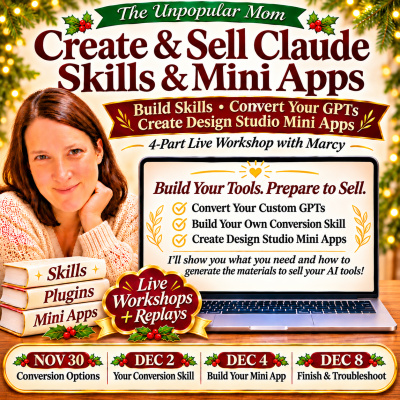
Create & Sell Claude Skills & Mini Apps
Build Skills • Convert Your GPTs • Create Design Studio Mini Apps
Calling all printable sellers!
Would you love to create your own Claude skills and mini apps—and learn how to prepare them to sell?
Maybe you have custom GPTs you want to convert. Maybe you’ve been looking at my design studios and thinking, “I would love to make something like that for my own audience!”
Come build with me! 💕
In this four-part live workshop, I’ll show you how to adapt your custom GPTs, build your own conversion skill, and create an interactive design studio mini app.
Then we’ll work on what you need to sell your tools!
I’ll show you how to use AI to help generate your product descriptions, customer instructions, FAQs, and access information. You’ll learn how to explain your offer so customers understand what your tool does, who it helps, and how to use it.
Our first workshop begins Monday, November 30, 2026, at 10 a.m. EST.
All four workshops will take place live on Zoom. Recordings will be available within 24–48 hours after each session.
What You’ll Learn
- 🌟 Convert your custom GPTs: Learn how to adapt their instructions, examples, and supporting materials for a new format.
- 🌟 Choose your direction: Explore skills, plugins, and mini apps so you can decide which approach fits your tool and your customers.
- 🌟 Build your own skills and design studio: Create your own conversion helper, then build a mini app with selections, dropdowns, and ready-to-copy prompt output.
- 🌟 Prepare your tools to sell: Learn what materials your offer needs and how to generate clear sales copy, customer directions, and access information.
You’ll learn a process you can return to as you develop more tools for your store, membership, or your own business.
What’s Included?
- 💻 Four live workshops: Follow step-by-step demonstrations with explanations and opportunities for questions.
- 🎥 Workshop recordings: Revisit each session, pause the demonstrations, and work through your project at your pace.
- 🛠️ Conversion skill and mini app demonstrations: See how to build, test, and improve your own tools.
- 🛍️ Sales preparation walkthrough: Learn how to generate the supporting materials customers need to understand, access, and use your product.
Your Four Live Workshops
Workshop 1: Convert Your Custom GPTs—Explore Your Options
Monday, November 30 • 10 a.m. EST
We’ll begin with your existing custom GPTs and explore how their instructions and workflows could become skills, plugins, or mini apps.
I’ll show examples, walk through conversion demonstrations, and explain what needs to carry over—and what may need to change.
We’ll also consider the customer experience. What does your tool help someone accomplish? How much guidance do they need? Would selections and dropdowns make the process easier to follow?
You’ll leave with a clearer understanding of your options and a GPT selected for your project.
Workshop 2: Choose Your Direction & Build Your Own Conversion Skill
Wednesday, December 2 • 10 a.m. EST
We’ll look at what your tool does, how people will use it, and which format makes sense for your goals.
Then I’ll demonstrate how to build your own conversion skill, so you can learn the process instead of purchasing someone else’s converter.
We’ll cover the instructions it needs, the materials you provide, and how to test its results. You’ll see how to make adjustments when the converted version misses an instruction or produces something different from what you intended.
This is a process you can return to as you work through additional GPTs.
Workshop 3: Build Your Design Studio Mini App
Friday, December 4 • 10 a.m. EST
This is where we start building a studio like the ones you’ve seen me create!
We’ll choose a focused purpose, organize the user’s choices, and build the foundation: dropdowns, text fields, generated prompts, and copy buttons.
We’ll work through how those selections connect so the output reflects what the user actually chose.
You’ll see how your instructions and ideas become an interactive tool for your audience.
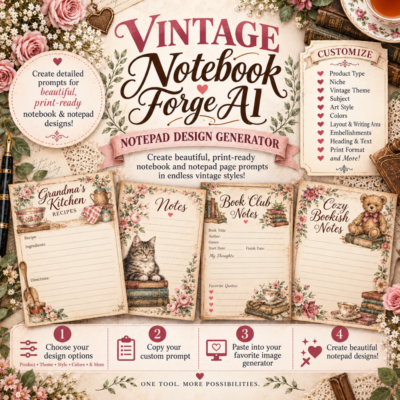
(We will let the audience choose a mini app to build and watch me build it!) Maybe one of my very popular notebook Forge AI!)
Workshop 4: Finish Your Mini App & Prepare to Sell
Tuesday, December 8 • 10am est
We’ll refine the studio, test different selections, and improve its generated output.
Then we’ll work on preparing the offer around it. I’ll show you how to use AI to help write your product description, explain what’s included, generate customer instructions, and prepare access information.
We’ll also review ChatGPT conversion issues and questions that have come up as attendees practice.
You’ll learn what to prepare so customers know what they’re buying, how to access it, and how to get started.
Learn What You Need to Sell Your AI Tools
- 📝 Product descriptions and sales copy: Explain who your tool helps, what it does, and why someone would want it.
- 📦 Clear offer details: Describe what buyers receive, what they need to use the tool, and what it is designed to produce.
- 📖 Customer instructions and FAQs: Generate getting-started directions, examples, and answers you can review and refine.
- 🔗 Access and delivery information: Prepare the wording for your access page so buyers know where to go and what to do next.
I’ll show you how to generate these materials around your own tool, so you can apply the process to future products, too.
Why Creators Will Love This
- 💡 Put your existing work to use: Your GPT instructions, examples, and workflows can provide a starting point for a new tool.
- 💡 Learn to make your own changes: Understand how to adjust instructions, add choices, and troubleshoot results.
- 💡 Build around your audience: Develop tools for the topics, products, and customers your business already serves.
- 💡 Prepare a complete offer: Connect your tool with clear sales copy, directions, and access information.
What You Can Make
- 🎨 Clipart prompt studios: Give users coordinated choices for subjects, themes, colors, and styles.
- 📚 Journal and planner studios: Help users develop page ideas, themes, and creation prompts.
- 🧩 Printable activity planning tools: Organize product ideas and generate structured prompts for themed resources.
- 🛍️ Business skills and helpers: Support repeatable tasks such as product planning, listing drafts, and content development.
Your tool can become a separate product, a resource within a membership, or a helper you use in your own business.
Who Is This For?
- ✔️ Custom GPT owners who want to adapt tools they created or have permission to modify.
- ✔️ Printable and PLR sellers interested in creating AI tools for their audiences.
- ✔️ Membership owners and educators who want useful resources to support their customers.
- ✔️ Creators who enjoy my design studios and want to learn how to build and sell their own tools.
Workshop Details
🗓 Dates: November 30, December 2, December 4, and December 8, 2026
⏰ Time: 10 a.m. EST
📍 Location: Live on Zoom
🎥 Recordings: Available within 24–48 hours after each workshop
Frequently Asked Questions
What if I can’t attend live?
All four workshops will be recorded. Watch the replay, pause as needed, and revisit the demonstrations while working on your project.
Do I need a custom GPT to participate?
An existing GPT gives you something to work with during the conversion lessons. You can also follow the demonstrations and apply the process to your own instructions and ideas.
Will you convert all my GPTs for me?
This is a teaching workshop. I’ll demonstrate the process so you can apply it to your tools. Your projects may need individual adjustments and testing.
Will we build a design studio like yours?
Yes! Workshops three and four focus on building and refining a design studio mini app, including its choices, workflow, and prompt output.
Will you show us how to prepare our tools to sell?
Yes! I’ll show you what materials to prepare and how to use AI to help generate your product description, offer details, customer instructions, FAQs, and access information.
Do I need coding experience?
You don’t need to arrive knowing how to code. We’ll use Claude to help build and revise the mini app, and I’ll explain the steps as we work. Plan to practice and test your version between workshops.
Can I sell what I create?
You can develop original tools for your business. If you use purchased GPT instructions, PLR, templates, or other materials, follow the rights included with those materials. Workshop access does not include resale rights to the training.
Ready to Create & Sell Claude Skills & Mini Apps?
Bring your ideas, your questions, and a willingness to build something for your business!
Join me for four live workshops where we’ll work through converting your GPTs, building your own conversion skill, creating a design studio mini app, and preparing your tools to sell.
I’ll show you what you need—and how to generate the materials to put your offer together.
Join the Create & Sell Claude Skills & Mini Apps Workshop!
(No refunds will be available, due to the nature of the workshop)